What is CDBurnerXP?
CDBurnerXP is a free application to burn CDs and DVDs, including Blu-Ray and HD-DVDs. It also includes the feature to burn and create ISOs, as well as a multilanguage interface. Everyone, even companies, can use it for free. It does not include adware or similar malicious components.
Key Features
- burn all kinds of discs
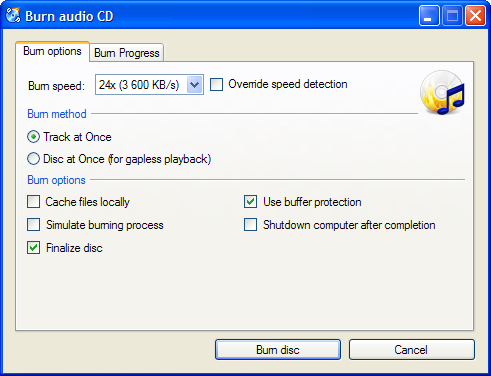
- audio-CDs with or without gaps between tracks
- burn and create ISO files
- data verification after burning process
- create bootable discs
- multi-language interface
- bin/nrg → ISO converter, simple cover printing and much more!
- Operating Systems: Windows 2000/XP/2003 Server/Vista/2008/Win7 (x86 / x64)
Further info: Compatible drives list - Detailed list of features - Online helpfile
Latest News
Thanks for all the gifts (written by Flo)
I just want to thank everyone who sent me a nice gift during the past few days. I've received them and had or will have fun with them ![]()
Translation time (written by Flo)
Hi again,
our translator for Turkish will have to join the military soon, I'd be happy if we could find someone who helps out for a while. Also, there are a couple of other outdated translations - if anyone wants to help with these, let me know.
Bulgarian bg-BG (last updated: 13 Mar 2009)
Estonian et-EE (last updated: 12 Nov 2009)
Greek el-GR (last updated: 02 Nov 2009)
Hebrew he-IL (last updated: 13 Dec 2009)
New version: 4.3.7 and OpenCandy (written by Flo)
I released a new version just now that extends the disc splitting functionality which has been introduced recently, and also improves the file filter functions of CDBurnerXP. This feature wasn't that much useful previously. In particular, you can now use this feature to only add files of a particular type, instead of just changing the file browser view. The filter will be remembered and used on the next start of CDBurnerXP.

Also, instead of Ask, we are now trying a cooperation with OpenCandy. What's different with OpenCandy, compared to Ask?
- It does not increase the installer size noticably, since any components that might get installed are downloaded on demand.
- It doesn't recommend only a single toolbar. There is a broad rage of applications, including one or two toolbars maybe, but also useful applications like TuneUp, Xobni, or Snagit.
- It's "opt-in", not "opt-out". So you won't get installed software accidentially.
- Because of the above point, I do not (or rather do not need to) offer setup packages without OpenCandy additionally*.
Feedback is as always appreciated.
*If you believe that it is still necessary to have such an installer, let me know.
New version: 4.3.5.2256 (written by Flo)
A new version has just been released, with the new feature "disc spanning". You can use it to divide a data compilation on multiple discs or ISO images, by using "Disc --> Disc spanning" from the menu.
Additionally, a couple of bugs have been fixed.
